
CASE STUDY / PYTHON AUTOMATION & QA

Python / Playwright / Healthcare Portal Automation / Quality Control

Provider Policy Automation

Engineering Python and Playwright automation to streamline provider policy maintenance, synchronize document keywords, and identify exceptions in a secure healthcare portal without a document-management API.

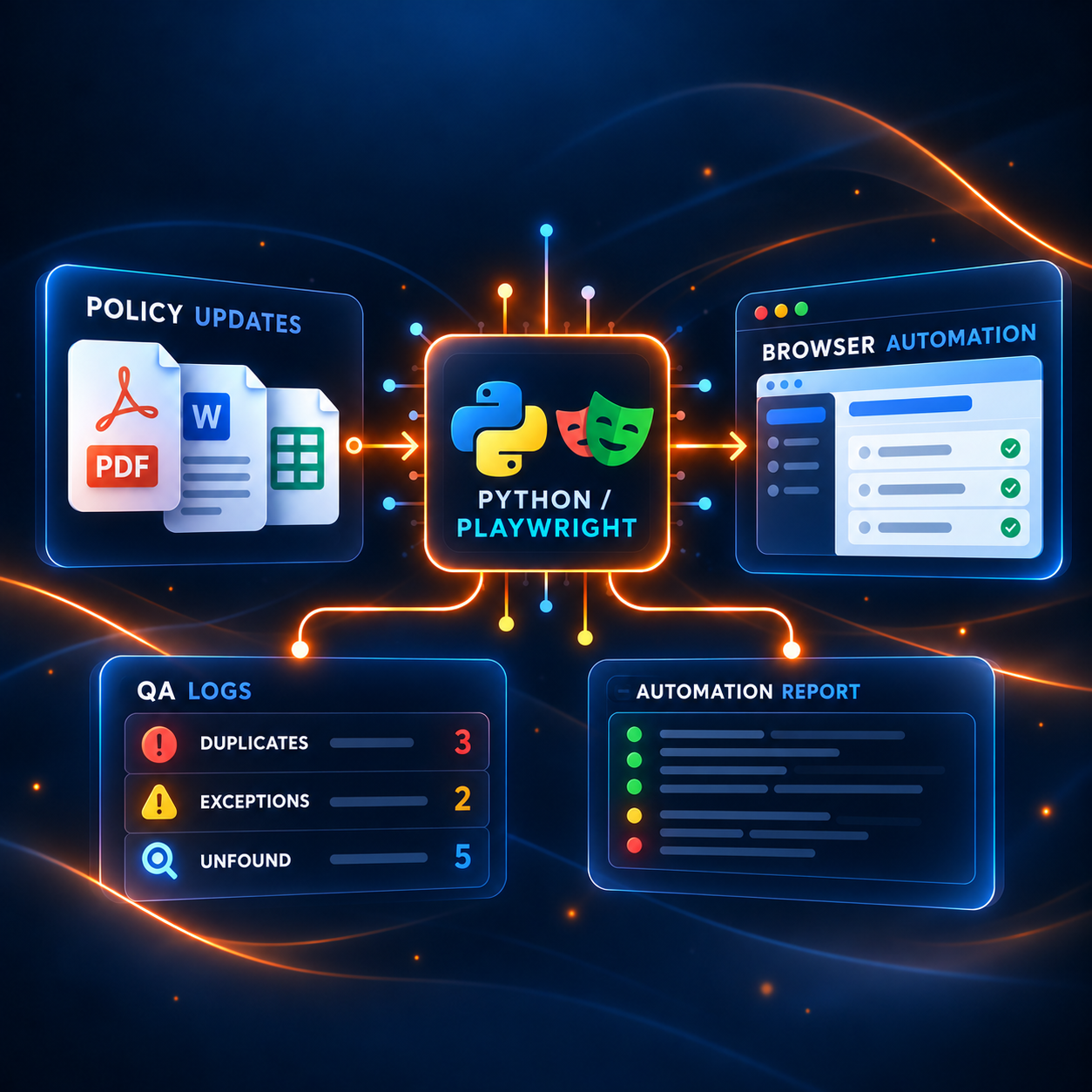
Illustration of provider policy documents flowing through Python and Playwright browser automation into quality assurance logs and an automation report

Project Overview

Developed two complementary Python and Playwright automation workflows to streamline provider policy maintenance within a secure healthcare portal managed by HealthTrio.

The portal contains more than 1,400 provider policies, including over 650 pharmacy-related policies. Each month, approximately 100 to 140 policy documents require attention as they are introduced, revised, reviewed, discontinued, reinstated, or archived.

Historically, these recurring maintenance activities involved two digital content producers and required approximately 2 to 5 hours of manual work each month.

Because the vendor's document-management interface does not provide an API for these operations, I developed browser-based automation to manage policy document lifecycles, synchronize keywords, and produce detailed activity and exception logs.

The Challenge

Maintaining a large library of healthcare provider policies involves more than uploading PDF documents. New and revised policies must be published with effective-date annotations in their filenames.

For revised policies, the existing and revised PDF documents must coexist for a required 30-day transition period. After that period, content producers historically had to locate and remove the outdated policy, rename the revised replacement to remove its parenthetical effective-date annotation, and save the updated document record.

New policies also require cleanup of temporary effective-date annotations after their applicable transition period.

Policy keywords help organize and associate documents within the provider portal. Previously, keywords were maintained manually in each document's properties. When an older policy was deleted, its associated keywords could be lost, requiring additional manual maintenance.

The portal vendor does not offer a document-management API for these operations, making conventional API-based integration unavailable.

The objective was to reduce repetitive manual work, improve metadata consistency, and introduce reliable quality-control reporting while working within the existing portal interface.

The Solution

Developed two complementary automation scripts using Python and Playwright. The first automates policy document lifecycle maintenance. The second synchronizes document keywords from a shared Microsoft 365 spreadsheet maintained by business stakeholders.

Both workflows generate logs to support operational review and troubleshooting.

Automation Workflow Showcase

WORKFLOW 1

PDF Lifecycle Automation

Automates recurring cleanup of new and revised policy documents.

Manual initiation: I start the script after the 30-day transition period has passed. The script does not calculate whether the period has elapsed.

  1. Manually start the automation.
  2. Search the portal document manager for policy filenames with recognized annotations, such as (Revised effective 12-01-26) or (New effective 01-01-27).
  3. For revised policies, locate the predecessor PDF using the corresponding base filename without the parenthetical annotation.
  4. Remove the matched outdated predecessor where applicable.
  5. Remove the temporary annotation from the revised replacement filename and save the document record.
  6. For new policies, remove the temporary "New effective" annotation and save the normalized filename.
  7. Record the changes in an activity log.

Business value: Reduces repetitive document-management activity, standardizes filename cleanup, and creates an auditable record of changes.

WORKFLOW 2

Keyword Synchronization and Quality Control

Maintains policy keywords across document revisions while accommodating inconsistencies in human-generated filenames.

Confidence decision: At least 90% proceeds with the keyword update. Below 90% skips the update and flags the policy for review.

  1. Read policy names and associated keywords from the shared Microsoft 365 spreadsheet maintained by business stakeholders.
  2. Search the secure portal for corresponding policy documents.
  3. Calculate a confidence score for each policy-name match.
  4. For matches at 90% confidence or higher, update the keywords.
  5. For matches below 90% confidence, skip the update to avoid changing an uncertain match.
  6. Record successful updates in an activity log.
  7. Record policies that cannot be confidently matched in an exception report for stakeholder follow-up.

Business value: Establishes a stakeholder-maintained keyword source, reduces repeated manual metadata entry, and provides a systematic way to identify missing or uncertain matches.

Engineering Challenges

No Vendor API

Developed browser automation to interact with the existing HealthTrio document-management interface when an API integration was unavailable.

Document Lifecycle Complexity

Handled cleanup of revised and new policies, including predecessor matching, temporary filename annotations, and document replacement procedures.

Inconsistent Policy Naming

Implemented confidence-based name matching to account for policy titles that may differ slightly between the stakeholder spreadsheet and the portal.

Quality Control and Traceability

Introduced logs of successful actions and exception reports to make automated processing easier to review and troubleshoot.

Business Impact

Reduced Repetitive Maintenance: Automates recurring browser-based document cleanup tasks that previously required manual searching, deletion, renaming, and saving.

More Consistent Policy Metadata: Establishes a shared stakeholder-maintained keyword source and an automated synchronization workflow.

Safer Matching Decisions: Uses a 90% confidence threshold to prevent uncertain policy-name matches from triggering automatic keyword updates.

Improved Operational Visibility: Generates activity logs and exception reports that document changes and identify policies requiring follow-up.

Automation Without an API: Delivers useful automation through the existing secure portal interface without relying on a vendor-provided document-management API.

Technologies

Python: Automation logic, document processing, keyword synchronization, and reporting.

Playwright: Browser-based interaction with the secure provider portal.

Microsoft 365 / Excel: Shared, stakeholder-maintained source of policy names and keywords.

Confidence-Based Matching: Identifies sufficiently reliable policy-name matches before modifying keywords.

Logging and Exception Reporting: Records successful operations and policies requiring review.

Deployment and Operational Workflow

The automation supports recurring maintenance within a secure healthcare provider policy portal. The keyword synchronization script uses the shared Microsoft 365 spreadsheet maintained by business stakeholders.

Together, these workflows support ongoing management of a library containing more than 1,400 policies, including over 650 pharmacy-related documents. Monthly maintenance involves approximately 100 to 140 policy changes across categories such as new, revised, reviewed, discontinued, reinstated, and archived.

The automation provides logging and exception reports for review. Not every policy status is processed identically or fully automated.

Operational Review Artifacts

Automation activity log
Keyword exception report
Microsoft 365 keyword spreadsheet

Key Takeaway

Engineered Python and Playwright automation to address complex document-management requirements in a secure healthcare portal without a vendor API.

By combining browser automation, document lifecycle processing, stakeholder-maintained metadata, confidence-based matching, and detailed exception reporting, the solution reduces repetitive work and introduces greater consistency and accountability into recurring policy maintenance.

← Back to Featured Work

PDF Duplicate Cleanup Log

PDF duplicate cleanup activity log